Laptops | Cellphones | Camera | Gadgets

Gyaan Arena will keep you in pace with the new gadgets coming in the markets so that you keep an edge among your friends.

Apps | Games | Softwares

Gyaan Arena will let you know about the Apps you should use,Games you'll love and lots more stuffs with the softwares.

Gyaan Arena believes in Do-It-Yourself golden words

Gyaan Arena will provide you with the best of the walkthrough,tutorials,guide round the technology.

Innovation at its best

Technology is on move,so does your life.Know about the future life technologies coming or in use.

Tweaks | Tricks

You are a geek who loves pushing the limits.Gyaan arena will tell you a lot about these tricks and tweaks.

Showing posts with label Reviews. Show all posts

August 23, 2012

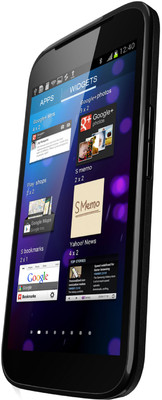
Micromax Pixel A90 : Take a look at this new Superphone

Budget phones are everywhere in the market nowadays and companies have started to know the value of this market space.Recently LG came up with its budget phone Optimus L3 and Sony is expected to come up with Xperia Tipo in the next month.
In this battle of capturing the budget smartphone markets, Micromax-the leading Indian brand launched a new device called Superphone 'Pixel' A90 for 12,990 only.

This is the first phone from Micromax in this price to have a Super AMOLED screen.Also,Micromax knows better what is the demand of the youth in India and how to come up with low price-high quality device.

Superphone Pixel wins everyone's heart in the first look as the sleek slim body is irresistible.
The super AMOLED screen is protected by a scratch resistant glass (not the Gorilla glass) which offers a pretty decent scratch proof build.

Pixel A90 is running on Mediatek MT6575 chipset which is currently in single core but will be upgraded to a dual core version by October.The processor is no doubt  performing very good as its a 1 GHz.No lags appeared in using the applications.

Pixel A90 doesn't have any physical hardware keys on the screen just like A100 Canvas.
The phone is loaded with all essential features like Wifi,Bluetooth,3G that offers a high speed data.Lastly,the phone is a dual sim device that will make your both the sims active all the time.

Pixel A90 comes with a 8 MP camera with LED Flash that seriously performed much better than our expectations.The camera uses a CMOS Based sensor that gives you a balanced color shot.
See the camera sample below by A90 pixel :

Currently,Micromax A90 is available on Snapdeal.Click here to buy it.

Benchmark Scores on Quadrant of Micromax A90 Pixel:
Total - 2543
CPU - 2432
Memory - 3101
I/O - 4672
2D - 595
3D - 1917

Benchmark Scores on Antutu of Micromax A90 Pixel: 
Total - 3950
CPU - 1346
GPU - 518
RAM - 1418
I/O - 650

For more reviews stay tuned and like our Facebook Page ,

August 22, 2012

Micromax A100 Detailed review


Introduction :
Micromax had launched recently launched Superphone A100 canvas in the market priced at Rs.9999 . Currently A100 is available in Single core version and its dual core version is expected to be out in the market by September end.
Micromax is one of the leading Indian brands in the market and is coming up with the products good in looks,features and priced reasonably.

Design Looks :
This phone is quite slim but not as slim what it is expected to be (just 11.9 mm thin to be precise).
It feels very light in hand as the body is complete plastic with a matte finish back cover.
Micromax had not placed any buttons on the front of the screen which is invisible when the screen light is off.
When screen light is on,there appears 3 buttons which also takes up some pretty pixels on the screen,thus reducing the space for the screen view.The screen resolution is (854*480) on a 4.95 inch FWVGA screen.
The volume rocker is on the left side and the power button on the right which looks a little raised .There is a 3.5mm audio jack present on the top and a micro USB port at the bottom.Really a impressive device in looks,good build quality.

Multimedia and Interface:
The screen is very touch responsive.The credit goes to 1 Ghz processor and the large screen which performs very well.Micromax A100 comes with all the multimedia features and with some preloaded apps like mBuddy,mZone,mStore,Google Plus etc. but the disappointing fact is the non-availability of AISHA feature on it which is there in low budget phones of Micromax.
A100 Superphone canvas sports a camera of 5 MP and a front camera of 0.3MP for video calling.
The camera performs good in its price and an average recording of 480 p(demo) .


The browsing on this phone is very very good with zooming and pinching very smoothly.If you're buying yourself a device for web browsing,this is going to be a very good choice.
The sound on this device is also good.It comes with a different sort of headset which is non-in ear headsets unlike A90 and A52.
The device is capable of 5 multitouch which is useful in playing games demanding high amount of touch responses.

Performance:
The 1 Ghz Qualcomm Scorpion processor performs its job very well and there is no lag in moving from one screen to another.Also there is a good performance by the Wi-fi and bluetooth.
It comes with a Adreno 200 GPU which makes it possible to play some games likeTemple Run,FruitNinja,AvatarHD without any lag.It comes with an internal memory of 2GB(1.3GB left for the applications).ICS out of the box is a very good thing for this device.In this price bracket,the device proved to be a value for money product.
The notification panel is a sweet for the user getting their useful and frequently used option at one place.You'll not have to install other widgets for this.

Battery:
It comes with a battery of 2000mAh which performs well and ends up with some good amount even after the heavy use for 5-6 hours.

Benchmark:
On testing the device on Antutu benchmark,the results were
Total : 2845
CPU:  1027
GPU:  293
RAM:1021
I/O:    504
On Quadrant benchmark, it scored a total of 2189.

Final Verdict :
This device under Rs 10,000 is a very good buy if your budget is limited to this and you can't afford to go for more.
And if you're ready to spend some more bucks then I would suggest you to go for Micromax A90 which is priced at about 12,000 but will be available in markets in September.
However,you can wait till September for the dual cores version of Micromax A100 which will be a very good in terms of performance.

The device might take some time to come in the market,but you can buy a one from Flipkart as the device showed up itself yesterday only.


Comparison between Micromax A100 and Micromax A90 here :


August 20, 2012

Micromax A90 Vs Micromax A100

Micromax has recently launched two new additions to its Android line up in the country.
Both these smartphones comes up with Android 4.0 ICS out of the box and are expected to get Android 4.1 Jelly Bean by the end of 2012. Micromax A100 has been already termed as phablet whereas Micromax A90 is packed with super cool features.

Lets take a look at both Micromax A100 vs Micromax A90 head to head.


Operating System :
Micromax A100 and A90 both runs on Android 4.0  ICS and can be upgraded to Jelly Bean as per the hardware specifications.Thus both of them are clear winners.

Processor :
Micromax A100 runs on Dual core Qualcomm Scorpion chipset ARM V7 processor with Adreno 200 GPU whereas Micromax A90 is also a dual core running on MediaTek chipset + PowerVR SGX 531.Thus clearly A90 wins but at this moment both the phones are coming in single cores only.Dual cores will be available in market shortly.
As both are powered by 1GHz processor single core for now,A100 is better on bucks for now.

Screen Size:
Micromax A100 has a screen size of 5'(4.92 to be precise) with Capacitive display with amazing 16.8 million colours whereas Micromax A90 is coming with AMOLED screen of size 4.3'.Definitely AMOLED screen is better than the Capacitive one.

RAM:
Currently both the phones are coming with 512 MB of RAM.Thus both wins.

Internal Memory:
Micromax A100 has an internal memory of 2GB and expandable upto 32GB whereas Micromax A90 has an internal memory of 4Gb and expandable upto 32 GB.Thus A90 wins.

Sound:
A90 sounds a bit better than A100 as A90 comes with an in-ear style earphones with gold plated 3.5mm jack.

Camera:
Micromax A100 sports 5MP rear and 0.3MP front facing camera. 5MP primary camera is well supported by simple LED flash. Micromax A90 comes up with 8MP primary camera with flash and CMOS technology. It is accompanied by 0.3MP front facing camera for video calls. In terms of camera, Micromax A90 wins the game.

Battery:
Micromax A100 comes with 2000 mAh battery whereas Micromax A90 comes with 1600 mAh battery.Though both the handsets offer 5 hours of talktime and over a week of standby mode.

AISHA:
Micromax A100 is not coming with pre-loaded AISHA feature whereas A90 is coming with AISHA.

Benchmark Tests:

According to Antutu Benchmark, Micromax A100 scored a total of 2733 whereas A90 scored 3950.
As per Quadrant Benchmark, Micromax A100 scored 2075 whereas A90 scored 2543.

For detailed review of A100 visit this .
For a detailed review of A90 visit this .

August 1, 2012

NXG Xtab A10 Plus :Review

March 8, 2012

Is Windows 7 better than Windows XP

Recently,one of my colleague lamented in favour of Windows XP that no other Operating System is efficient than Windows XP. Is it True ??
What about the Microsoft Windows 7 and the new Windows 8 Consumer Preview Edition.
Lets compare the two Operating System from the Microsoft family and being on the favor of Windows 7 I might be biased in this article.But my intention is to bring out the real facts.


The choice to move from XP to Windows 7 is one that some people are still hesitant about. You know XP. You like XP. Why mess with a good thing? Here are five good reasons why.

1. Support from Microsoft. On April 14, 2009, Microsoft ended mainstream support for Windows XP. What that means is that you can't get free support for any problems related to Windows XP now; you'll be pulling out the credit card to get help from now on. In addition, the only fixes Microsoft will provide for free are security patches. If there are other problems with XP, you won't get fixes for those.

On Aug. 14, 2014, all support for Windows XP ends. So you won't even be able to get security patches, and your computer will be open to newly-discovered threats with no way to protect you. That's bad.

Yes, that's four-plus more years of support, so if you just won't give up your XP, you'll be covered; but with the tradeoff that you'll be paying for any Microsoft support, and won't get anything but security patches from here on out. (In Microsoft's defense, it has supported XP much longer than most software companies provide support for their products. But no company can support programs forever.)

2. User Account Control. Yes, it's true that many people hated User Account Control (UAC) when it was introduced in Windows Vista. And in its first form, it was hideous, assaulting users with endless popup warnings. However, it improved with subsequent service pack releases. And in Windows 7, it's better than ever, and more configurable. That means you can tune it to give you as few or many warnings as you want.

Besides, no matter how much UAC was hated, it also closed one of XP's biggest security holes -- the ability for anyone with access to the computer to act as the all-powerful administrator and do whatever they wanted. Now that huge security risk has been eliminated -- assuming you don't turn it off.

3. More applications. All the programs are now being written for the Vista/Windows 7 platform. This started years ago, and will continue to be the case for years to come. If you want that new 3-D shooter game or kick-butt utility, chances are it won't work on XP. Upgrading to Windows 7 will give you access to all the cool stuff your neighbor has that you don't.

4. 64-bit computing. The reasons are a bit technical, but the upshot is that 64-bit is the future. While there were 64-bit versions of XP in the past, they aren't for sale anymore, and are not for typical consumer use anyway.

The newer 64-bit computers are faster and more powerful than their 32-bit brethren, and software is starting to appear that takes advantage of 64-bit power. While 32-bit gear and programs aren't going the way of the Dodo in the immediate future, the sooner you make the move to 64-bit, the happier you'll be.

5. Windows XP Mode. Through Windows XP Mode, you can use XP and still get the benefits of Windows 7. If you have the right version of Windows 7 (Professional or Ultimate), and the right kind of processor, you can have the best of both worlds -- Windows 7 and Windows XP.

Windows XP Mode is one of the coolest things about Windows 7. Without diving into the geeky details, it allows you to run Windows XP in a virtual environment; the old XP programs think they're on an XP computer, and work as normal. You don't have to give up the things you love about Windows XP to get the many benefits of Windows 7.

What could be better than that? Not yet convinced ?
Let me tell you some more features of Windows 7.

• Aerosnap (can drag a window to the far left or right of the screen and it fills half a screen) - very useful!

• Internet Explorer 9 much better than Internet Explorer 8.

• Multiple monitor settings; Windows and P switch monitor settings fast (Although Actual Windows Manager helps both out alot).

• Increased security - UAC, Firewall.

• Taskbar/looks - pinning items.

• Drivers alot of things work straight out the box/Windows Update is far superior downloading/updating drivers.

• Support in XP ends in 2013. However now things are becoming unsupported in Windows XP. Internet Explorer 9, Windows Live Mesh are excellent Microsoft Services which you may use for Free with Vista/7 and are unavailable for XP.

• Shortcut keys, Windows and P, Windows and a number (loads the first 9 items pinned on the toolbar).

• MSPaint is much better. Snipping Tool, Sticky Notes.

• Library organisation is much better, folder layout etc. (Alt and ↑ arrow key) goes to parent folder.

• In general just alot more stable than XP (if done with a clean install) and runs alot faster if you have a decent computer with 4 GB of RAM or superior.

• With Direct3D( Direct X 10+) running on Windows 7 there is a major difference between Vista and XP and that`s because it can perform a better management regarding the process allocation and the optimization of programs that runs in a multithread manner

July 8, 2011

Google Plus Review

Google has unveiled its new project Google+. Which many people think is its answer to Facebook. So What exactly is Google+? Google+ is a project which turns Google into one giant social network. Google+ contains some new innovative features. I got an Google+ invitation so decided to test it and share the experience and features with my readers. Here are all the features of Google+ :


Google+ Stream

It is similar to Facebook news feed. You can share you thoughts, photos, videos and much more by streaming it to various groups. You can even stream or share the content or links with the users who are not using Google+ by emailing them.


Google+ Circles

This is a one of the good features which is present in Google+. Google+ Circles allows you to create groups or lists of people which is far more easier than creating Facebook Friend List or Twitter List. It features a drag and drop functionality to add people to a specific group.  By Default there are 4 Groups namely Friends, Family, Acquaintances and Following. But you can create more such groups and add people to it accordingly. This can really help in sharing of information with specific group. For instance you can create a group College and share information with only Members of Group College. Though it is similar to Facebook groups but sharing is more simpler since while streaming only you are given an option to share with specific groups or to share will everyone.


Google+ Profiles

Google+ profile uses and import your existing data from Your Google Account. Your profile contains tabs like post, about , photos, videos and much more. More or less its similar to Facebook profiles.


Google+ Hangout

Google+ Hangout is one of the innovative feature which allows you to have fun with all your circles using  webcam. When you start a hangout with a circle a post is published published on your wall which allows more users to join the hangout.


Google+ Mobile

Google+ is also available for your mobile and for more information check Google+ For Mobile.

Google+ Photos

When you join Google+ it will import your photos from you Picasa account which you can share with your friends. You can upload and share new photos with everyone or some specific circles. To see photos of your friends which they have shared you need to add them to your circle.

June 6, 2011

10 Reasons why Facebook is better than Twitter


People have become so addicted to Facebook that one window is always open where they are online through this social network. Around 600 million use Facebook whereas Twitter has around 200 million users. In that sense, Facebook is more widely connected and international than Twitter. Facebook is for close family and friends, whereas Twitter is to follow those people whom you want to be friends with or share some interests alike. Both Facebook and Twitter have their own fan following, each is competitive for the services they provide. Both are the one of the largest social networking sites and each day they are evolving with addition of newer and better features than ever before. This generates more users and hence more involvement on their platforms. But here are 10 reasons why Facebook is better than Twitter: 

1. Better Expression

Profiles on Facebook are more elaborate and exclusive. You can get to know them better through reading their pages, whereas Twitter lacks that connectivity of people. The tweets are anything about anything, but on Facebook people tend to right more thought-provoking and discussion driven statuses which then leads to more excitement and involvement of people on the platform. One can clearly see and tell who are friends with whom on Twitter as there is elaborative categorizing on Facebook, whereas on Twitter one is not sure of how much a follower is closer to the person he or she is following.

2. Interest Oriented

Another better thing about Facebook is that it constantly suggests people whom one might know to connect with them on the site. Whereas there is only a conventional way of finding friends out on Twitter through various email services that one might be using. Through those email services one can see who is part of the website and can request connection. But on Facebook one knows who are friends with whom and in that way can find like-minded people easily forming groups and supporting causes that one believes in. This is how Facebook is more interest oriented.

3. News Feed is Better

Facebook is really good at suggesting news and making you reach out to the details of an event or happening that you might be eager to know exclusively about, whereas Twitter will only break the news for you. It works more like a breaking news tickler and a channel for headlines only. To get to know the depth of a story and to cover it better, Facebook is a better option certainly with enthusiastic debates and discussions on every day events that affects our lives.

4. Personal Connection

On Facebook, people tend to present themselves virtually, as if it is their virtual lives and their virtual existence. Whereas on Twitter, people just tweet whatever that they are thinking momentarily and might even change their mind on that. So in this particular sense, whatever that is being said or much rather written on Twitter does not necessarily stand for longer. It changes with the passage of time and is not a status so as to say.

5. Instant Connectivity

On Facebook one can have better connectivity with their contacts than on Twitter as there are many means to communicate, like writing on their profile walls, sending messages or simply writing a status and indicating them. Whereas on Twitter, the connection is only through tweets and messages, and one cannot have more in depth discussion or thought exchange in such a limited platform.

6. Different Environments

Facebook is where you can express yourself and show who you are, whereas on Twitter the window to self-depiction is very narrow. Both of these sites have basic differences in what their purposes are and the means through which they achieve them. Their environments are different and their uses have thus been deemed to be different when it comes to social networking. To each his own, therefore, for some people Facebook might coincide with their purpose and method of usage better than for someone who prefers Twitter for their own interests. It is all about what suits ones needs better than the other and one should choose that option.

7. Everything At One Place

On Facebook one can find everything at one junction only and one does not has to roam around to get all that one needs to keep up with. There are photos, videos, links and status updates, and all that in one place. Around more than a billion photos have been shared on Facebook by 2010. Whereas on Twitter one has to use couple of other services to get see whatever one wishes to through different formats.

8. Branding Opportunity

One of the best features that Facebook has is that of personal profile that one could create along with a page or group for any business or any other purpose. Facebook pages work almost like mini-websites for the brand promotion and information. Whereas on Twitter there is no such privilege. One has to just follow the profile or account or more specifically their channels, but there is no such thing as pages or groups on Twitter, which then again leads to its uses being limited only.

9. Chatting With Friends

On Facebook one can easily chat with friends and send instant messages. There is a threaded type discussion on Facebook which you could follow as it informs you instantly whenever someone has posted a new comment on your status or your photo or any other link that you have shared. This is the biggest feature of connectivity that Twitter lacks. As it is just about writing limited 140 characters tweets with no messaging to friends and no chatting with them online.

10. Supports Games and Apps

The interesting thing about Facebook is that it has games to play and have fun, where your friends could also join in as competitors, which doubles the excitement. According to a statistics, about 20 million people play games on Facebook daily. Besides this, it supports thousands of apps to enjoy and kill boredom. Whereas on Twitter there is no such exciting activity going on, which then makes it a bit dull.

June 4, 2011

Why Google can never beat Microsoft !!

Google seems to be in some kind of existentialist dilemma.It desperately wants to dethrone Microsoft,and yet majority of its service like the search engine,Gmail and Google Docs are mostly accessed through IE browser,running on a Windows powered system.
The only way Google can change its equation against Microsoft,is by coming up with its own OS.
But that is easier said than done.It was in 1983 that the first Windows operating system was introduced and since then Microsoft has dominated the world of computing.The idea that more than 90% of PCs run on Windows sounds to some ears like an archetypal cliche`,which might remain true forever.
Google is really good at what it does,but is it capable of coming up with an OS comparable to Windows 7?
Rumors about Google's plan for a new Operating system had been around for quite sometime,and in the middle of 2009,the company accepted that it was aiming to create an open source,lightweight operating system.
According to Google,its Operating system is a natural extension of its Google Chrome browser,and it has been named Google Chrome Operating System.

Some analysts have been predicting that net books powered by Google's OS might become available towards the end of 2010.
Google has announced,"Google Chrome OS will run on both x86 as well as ARM chips and we are working with multiple OEMs to bring a number of net books to market next year".The words to be noted in the Google's blog-post are,"users don't have to deal with viruses, malware and security updates." Is Chrome Os going to be a proverbial magic carpet that will transport the users to a paradise,which is completely cleansed of the evil programmers??

Google Docs is a seminal achievement,and yet Microsoft Office continues to be the choice of majority of the users.In India more than 90 percent of computers are run pirated versions of Microsoft Office,even though the original version of Google Docs is available for free online.
The only way the Chrome OS can make headway is by offering users a better desktop computing experience than Windows 7 does.

So,if any company dreams that net books powered with its OS will fly off the shelf just because they are cheap,then they are probably living in a fool's paradise.
In any case,it is not going to be that easy to wean people away from desktop centric systems in which Microsoft continues to be in dominant position.

January 31, 2011

Illustrator & Photoshop CS5 Review

Did you know that Adobe Photoshop is 20 years old andIllustrator has been around over 24 years? I’ve been using Photoshopsince version 5 and Illustrator since version 8. It is amazing to seehow they are progressively improving and adding more features. Now withvector features and 3D tools, Photoshop is no longer justan image editing tool. The same goes with Illustrator, Bristle Brusheswere added to simulate bitmap drawing. I’ve been using CS5 for severalmonths so in this post, I’m going to share my thoughts on CS5.